Anyone who has been using Microsoft 365 for a while will be familiar with them: the long, rather unintuitive addresses used to access OneDrive and SharePoint. An address such as contoso-my.sharepoint.com tells a user very little about what lies behind that link. Microsoft has been working on a solution for a few years now: the unified domain cloud.microsoft. Following on from Outlook and To Do, it is now OneDrive’s turn.
What exactly is changing?
From early July 2026, OneDrive will begin a phased transition to a new web address. Whereas users used to see ‘mijnschool-my.sharepoint.com’ in their browser’s address bar, they will now be redirected to onedrive.cloud.microsoft. The transition will continue until the end of June 2027, so this is not an abrupt change but a gradual shift during which both domains will continue to operate side by side. Existing links and bookmarks will remain fully functional; users will not be forced to be redirected.
Important to note: SharePoint site domains (such as myschool.sharepoint.com) will not change. Microsoft Graph and other APIs will not change either. The change is limited to what users see in their browser when they are working with OneDrive.
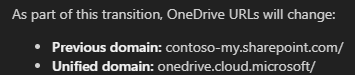
The end of the visible tenant URL
For those familiar with the technical side of things, this is a significant step. When creating a Microsoft 365 tenant, each organisation is assigned its own .onmicrosoft.com name, for example myschool.onmicrosoft.com. That name appears in numerous places: internal email correspondence, login pages and, until recently, also in OneDrive URLs via the format myschool-my.sharepoint.com. That address made the organisation’s tenant identity visible in everyday browser addresses.
With the switch to onedrive.cloud.microsoft, that link disappears completely from the end user’s view. There is no longer a school name or internal domain in the address bar. This is Microsoft’s deliberate strategy: a single, recognisable, trust-inspiring domain for all Microsoft 365 services, regardless of the specific tenant running beneath it.
Incidentally, cloud.microsoft is not a standard top-level domain name like .com or .be. Microsoft owns the top-level domain .microsoft itself, which means that no one else can register legitimate websites under that domain. This makes it easier for users to recognise whether they are on an official Microsoft site, and it makes phishing attempts – where attackers register fake Microsoft domains – more difficult.
What does an IT administrator do?
No action is required. The transition takes place automatically and has no impact on file access, rights management or collaboration. However, there are a few things worth checking.
Check that network traffic to *.cloud.microsoft is permitted in your firewall or proxy rules. If you are following the standard Microsoft network guidelines, you do not need to take any action here, but in highly managed school networks with explicit whitelists, this is something you should check.
Do you have any in-house applications or scripts that process or parse OneDrive URLs based on the sharepoint.com pattern? If so, it’s worth checking them. Official Microsoft APIs via Microsoft Graph won’t change, but custom code that uses the browser URL as a reference may cause problems.
Finally, be sure to inform your colleagues and the helpdesk. If users suddenly see a different address in their browser, it may raise questions. A brief message explaining that this is normal and that Microsoft is in the process of a wider transition to cloud.microsoft is usually sufficient. You could also mention that .microsoft is used exclusively by Microsoft and that this address is therefore even more secure than the previous one.
Part of a bigger story
The move away from OneDrive is not an isolated measure. Microsoft has been working since 2023 on migrating all its web services to cloud.microsoft. Outlook was one of the first, followed by To Do, Forms, Viva and Teams. The ultimate aim is for all Microsoft 365 services to be accessible via a uniform, recognisable address, whilst the underlying technical identity of the tenant remains hidden from the end user.
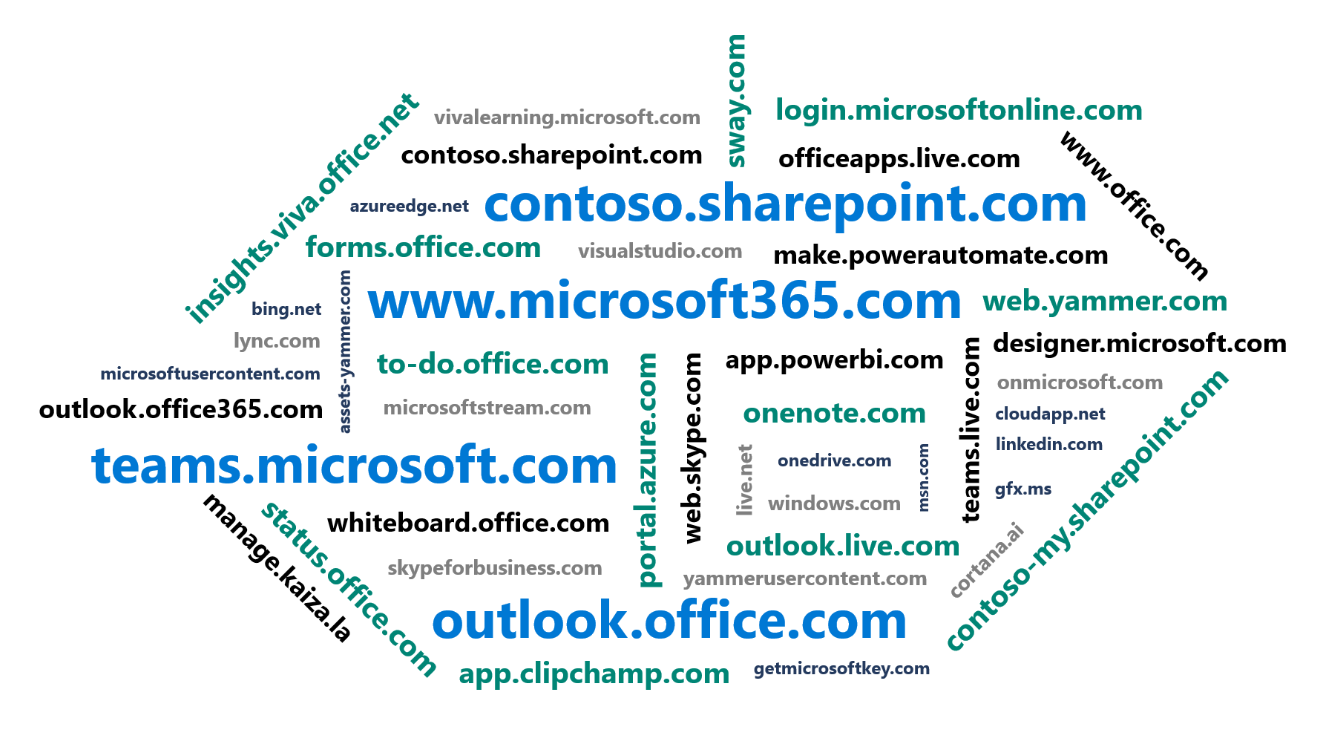
For those who manage Microsoft 365 in a school environment, this means that, in the long term, it will be easier to explain to colleagues: everything that runs via cloud.microsoft is from Microsoft. A single domain to rely on, rather than a scattered collection of sharepoint.com, onmicrosoft.com and other variants.