AI in education is no longer just a pipe dream. But the big question remains: does AI really help pupils to learn, or does it just provide quick answers?
With the Study & Learn agent in Microsoft 365 Copilot, Microsoft is taking a clear step towards the responsible and pedagogically sound use of AI in the classroom.
Qu'est-ce que l'agent Study & Learn ?
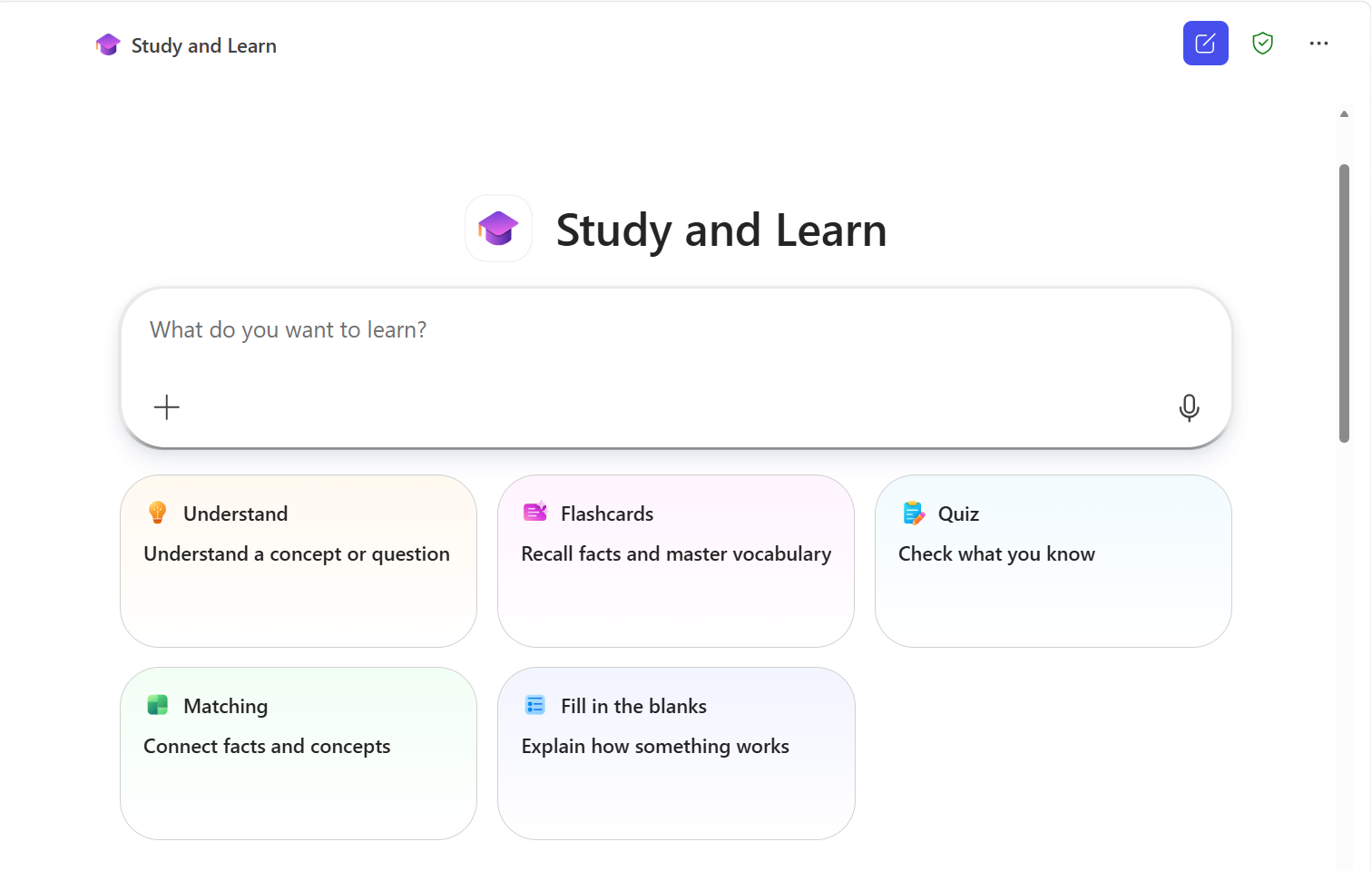
The Study & Learn agent is an AI-powered teaching assistant, integrated into Microsoft 365 Copilot, specifically designed for teaching.
Instead of simply giving answers, this police officer guides the pupils step by step:
- Understanding the subject matter
- Practising through targeted activities
- Assessing knowledge through interactive formats
- Developing independent thinking
Think of a digital coach who doesn’t work for the student, but helps them learn to think for themselves. Get started straight away: Open the Study & Learn agent.
What makes this agent different from other AI tools?
Many AI tools are designed to provide a quick answer. The Study & Learn agent does exactly the opposite.
This agent is based on insights from the science of learning and focuses on:
- Targeted guidance (scaffolding): The tutor builds on what the pupil already knows and develops that further
- A productive struggle: Think first, then get an explanation
- Active learning: Exercises such as quizzes, flashcards and fill-in-the-blank exercises
- Application and consolidation: Pupils are challenged to put their knowledge into practice
The result is not ‘copy-and-paste answers’, but sustainable learning.
What exactly can you do with it?
The Study & Learn agent works with pupils’ own learning content, such as:
- Word documents
- PowerPoints
- PDF files
- Web pages
The agent uses these materials as a basis for:
- To provide summaries and explanations
- Generate exercises (quizzes, flashcards, matching)
- Asking questions to gain insight
- To provide step-by-step support
And that makes this tool ideal for:
- Exam preparation
- Self-study
- Differentiation in the classroom
- The flipped classroom approach
Who is it available to?
The Study & Learn agent is widely available.
✔ For all Microsoft 365 Education licences (A1, A3, A5)
✔ No extra cost or add-on required
✔ For pupils aged 13 and over
✔ For both secondary and higher education
⚠ Important:
- Copilot Chat must be enabled
- For pupils aged between 13 and 17, this must be explicitly enabled by the IT department
How does a school go about implementing this?
There are a few important steps for ICT coordinators:
- Enabling Copilot Chat for pupils
- Setting age groups correctly
- Identify the Education tenant
Useful resources for this:
Why is this relevant to schools?
Many schools are currently struggling with AI:
- Ban it or embrace it?
- Control or trust?
Study & Learn provides a compelling answer to those questions:
✅ AI designed to support learning, not to take shortcuts
✅ Control via IT and clear settings
✅ Support for independent learning
✅ Integration into the existing Microsoft environment
It helps schools to avoid blocking AI, but to use it in a pedagogically sound way.
Combine with AI literacy
It’s also a good idea to combine this with AI literacy. If you’d like more resources on this topic, be sure to take a look at this page: AI literacy resources for education.
This is how you can help pupils learn to use AI critically, establish clear guidelines, and work with AI in a conscious and responsible manner.
Additional support and feedback
Microsoft provides a great deal of support for the Study & Learn agent:
- Study & Learn support and documentation
- General support page with extra resources
- Feedback on the agent: Please fill out this form
- Feedback on product localisation: Please fill out this form