Imagine this: you upload your course materials, slides and notes to a single workspace, and Copilot automatically generates a summary, in-depth topic pages, flashcards and a quiz.
No extra app, no exporting, no copy-pasting.
That is what Copilot Notebooks can now do, and for education, this is one of the most practical AI applications Microsoft has released to date.
Licence: M365 A3/A5 + M365 Copilot (paid version) required
Microsoft has announced the following: Laptops will also be available under educational licences without a paid Copilot subscription. This means you can simply use most of the features with the Copilot included in your licence.
What are Copilot Notebooks?
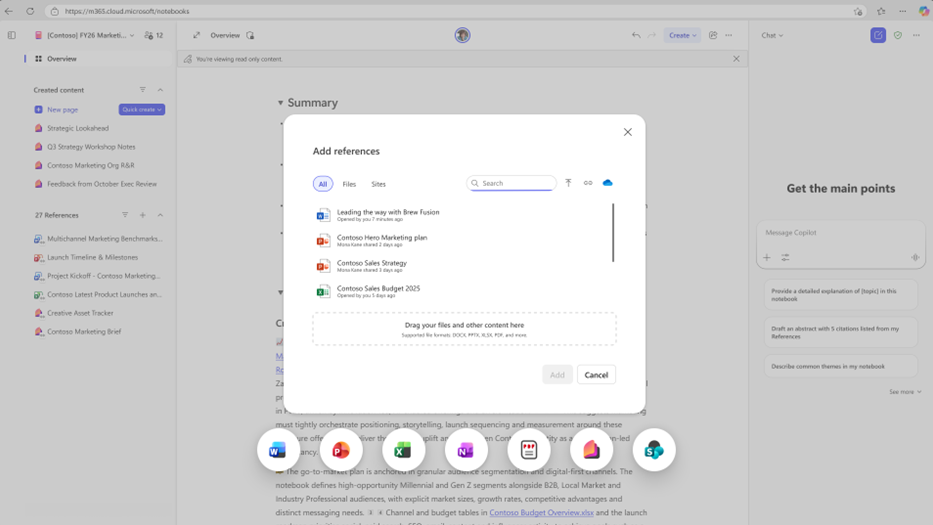
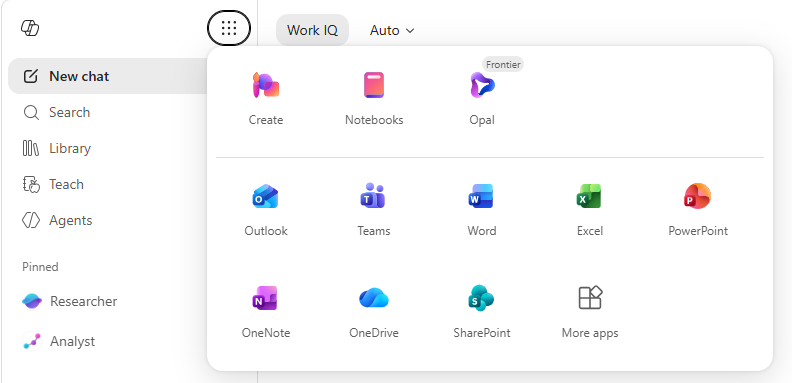
Copilot Notebooks are persistent AI workspaces that you build around a project, subject or theme. You add reference material, such as Word documents, PowerPoint presentations, Excel files, OneNote pages and PDFs, and Copilot answers your questions based on that content. This means every question you ask is answered from the specific context you have created, rather than from generic AI knowledge.
Until recently, Notebooks were reliable but limited: chatting, adding resources, getting answers. The series of updates that Microsoft has rolled out over the past few months is changing that completely. Notebooks are now becoming a fully-fledged working environment for learning, collaborating and creating.
Study resources: summaries, topic pages, flashcards and quizzes
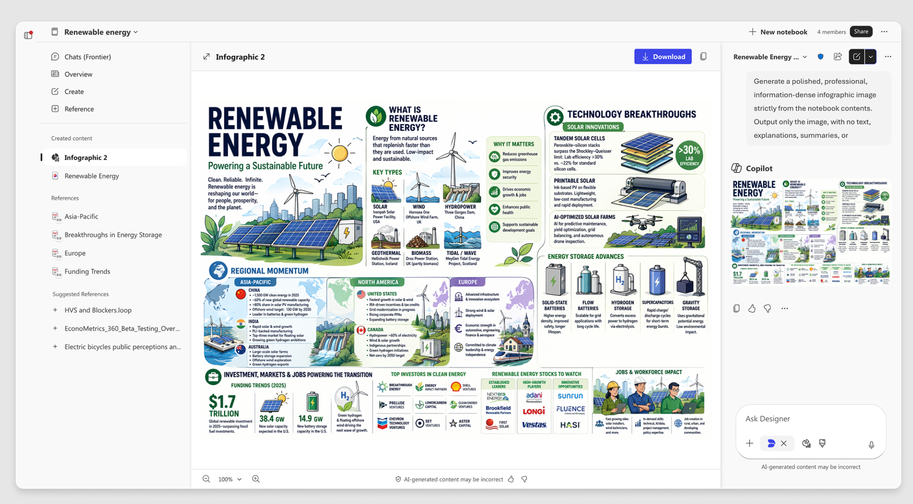
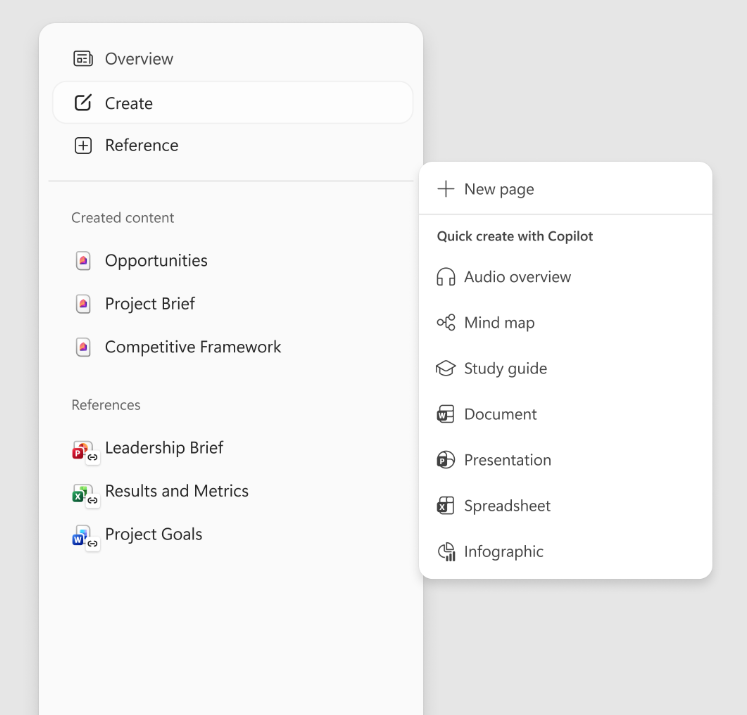
The most notable new feature for education is the Study Guide. Add your course materials to a Notebook, click on the Study Guide option, and Copilot will automatically generate a multi-page study guide:
- A summary of the key points from all your sources.
- Theme pages, one for each main topic that Copilot recognises in the content, with more detailed explanations for each theme.
- Flashcards based on key concepts, definitions and question-and-answer pairs from the material. Interactive: you turn the card over to see the answer.
- A quiz featuring questions taken directly from the content you have provided. "Fill-in-the-blank" questions will also be available soon.
The content is derived strictly from what you have entered into the Notebook. Copilot does not add any external information that is not included in your sources, which is a significant quality benefit in educational contexts.
Mind maps: revealing connections
As well as providing study support, Copilot can now also generate an interactive mind map based on the content of your Notebook. This map shows how key terms, themes and concepts relate to one another. You can click on any node to see a brief summary, and Copilot can explain a term in more detail if you want to know more about it.
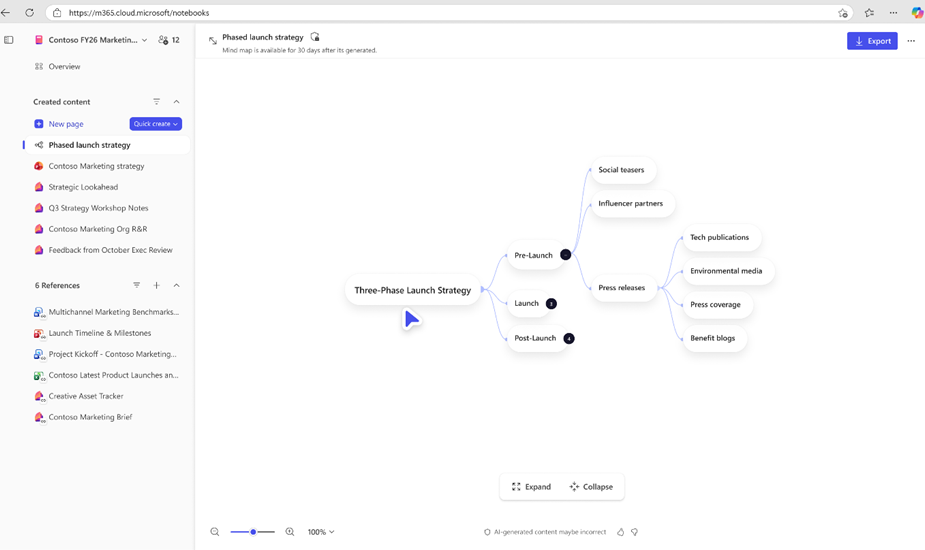
For anyone looking to introduce complex subject matter or a project, this is a powerful way to provide structure before delving into the details. But the mind map also offers a quick overview for students who want to check the overall picture at the end of a lesson or module.
Please note: in the current version, mind maps are private to the creator, even in shared Notebooks. Storage and sharing of mind maps will be added in a future update.
Word- and PowerPoint-agent
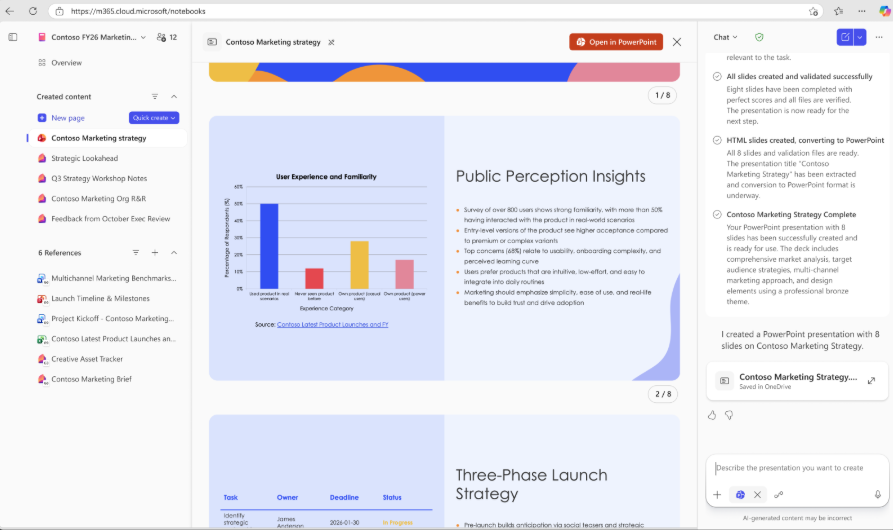
Notebooks are also becoming a starting point for creating documents and presentations. Using the Word agent, you can generate reports, summaries or proposals based on the content and sources in your Notebook. You specify the document type, the main theme, the target audience and the desired style, and Copilot creates a first draft as a fully editable Word file.
The PowerPoint agent works in the same way: specify the focus, how detailed the slides should be, how many slides you want, and which design theme you prefer. Copilot builds a complete PowerPoint presentation based on your notes and sources, including visual elements. The result is an editable PPTX file that you can further refine in PowerPoint.
For teachers who regularly have to prepare presentations or summaries based on the same sources, this saves a considerable amount of time. For students who have to prepare a final presentation or report, it is a good way to generate a solid initial draft that they can then refine themselves.
SharePoint and OneNote as source
Until recently, you could add individual files to a Notebook. Now you can link an entire OneNote notebook or a SharePoint site or folder as a reference. Copilot can then analyse all the documents in that folder, including any added later. The connection is live: if the content on SharePoint changes, the Notebook automatically updates to the most recent version.
For school teams or subject groups that store their teaching materials on SharePoint, this opens up the possibility of having a shared Notebook that is always up to date based on the team site. Copilot respects existing Microsoft 365 permissions, so users only see what they are authorised to view directly on SharePoint.