Anyone who has been following Microsoft 365 Copilot over the past few months will have noticed that quite a lot has changed, step by step. The interface looks different, new features have been added and, for the first time, you can choose which language model to use – provided your administrator allows it.
An overview of what’s new and what it means for users and administrators.
A clean, task-oriented interface
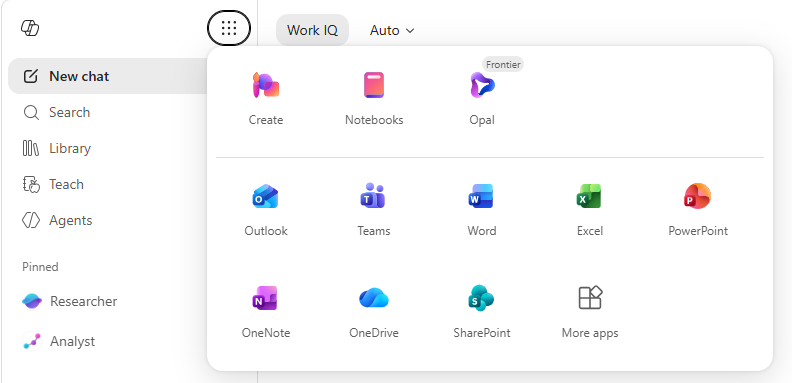
Microsoft has completely redesigned the Copilot app. It all started with a simple question: how can you help people move from intention to result more quickly, without them getting bogged down by an interface that’s more cluttered than the task itself? The answer is a cleaner, faster interface that puts the prompt field front and centre, with Copilot displaying relevant tools based on what you’re doing.
The navigation bar on the left has been stripped back to the essentials: new chat, search, library and agents. It’s immediately clear where you need to go. At the same time, two features that used to be somewhat hidden have now been given a more prominent place on the dashboard: Notebooks and Create.
Work IQ
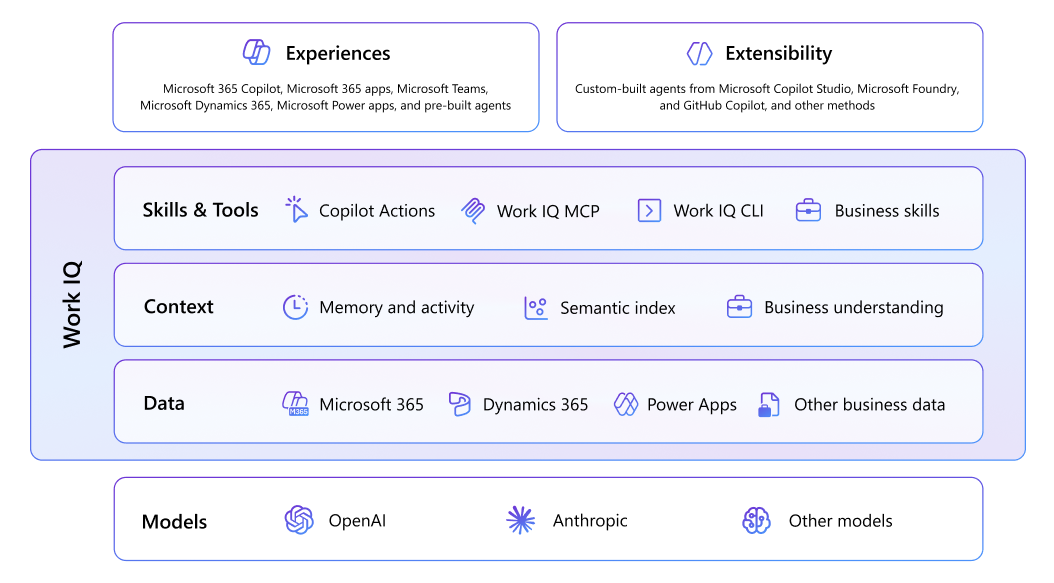
One of the key strengths of the paid Microsoft 365 Copilot licence is that answers are grounded in your own organisational data: emails, meetings, files and chats. This integration is facilitated via the Microsoft Graph. Microsoft has now renamed this layer ‘Work IQ’.
It’s more than just a name change. Work IQ describes the logic Copilot uses to understand and apply organisational context, without you having to explicitly specify sources. If you ask, “What has been discussed regarding Project X?”, Work IQ automatically searches your emails, meeting notes and shared files. If you do want to specify a particular source, you can use a slash command to explicitly include it.
The improvement lies not only in the name but also in how it works: Copilot has become better at automatically determining which sources are relevant to a query, without you having to think about it consciously. For users with a paid Copilot licence, this is the key benefit compared to a generic AI chatbot. That data does not leave your tenant and is not used to further train models.
Model Selection: GPT, Claude and Think Deeper
This is the most talked-about development of recent months. Copilot is no longer tied to a single language model. Users with a paid licence can choose which model to use for a conversation in supported environments.
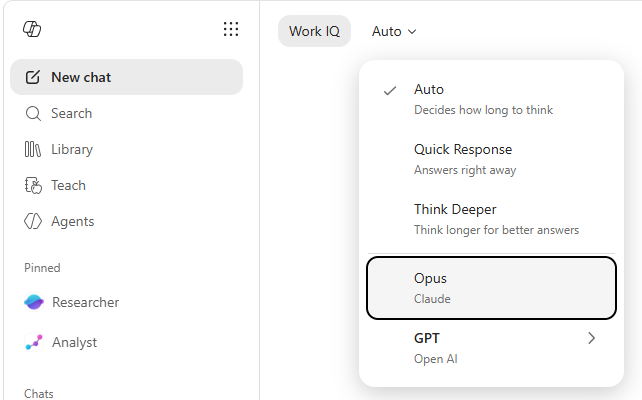
Specifically, there are four options available:
- Automatic: Copilot determines the thinking time based on the question. This is the best setting for most everyday tasks.
- Quick answer: no further explanation, just a straight answer. Useful for simple look-ups or brief summaries.
- Think Deeper: this model requires more time and computing power for more complex or strategic questions. It is noticeably slower, but useful for analyses or tasks involving substantial data.
- Claude (Anthropic) and GPT (OpenAI): direct access to the respective models, without switching platforms. Everything remains within the secure Microsoft 365 environment, accessed via Work IQ.
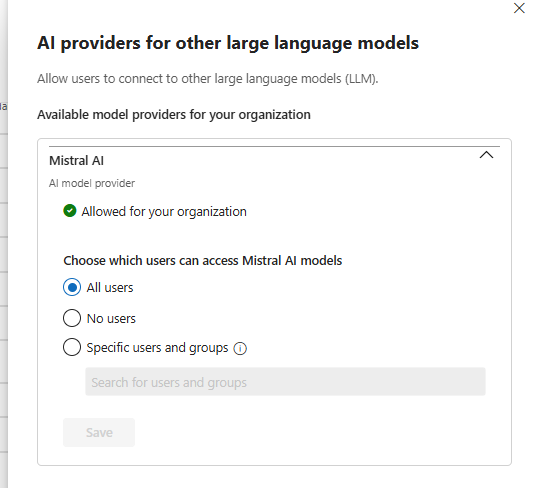
As an administrator, it is important to know that you decide whether users can see the model selector. In the Microsoft 365 admin centre, you can enable or disable the availability of external models. This is not a trivial decision, as there are also compliance considerations. In a Belgian or European context, this means, in practical terms: check which data processing applies when a user selects a specific model. Work IQ does ensure that data does not leave your tenant, but it is wise to document this in your privacy policy and communicate it internally to users. If your users are subject to GDPR compliance or work with personal data, a clear internal framework regarding model usage is not a luxury but a necessity.
Multi-model working
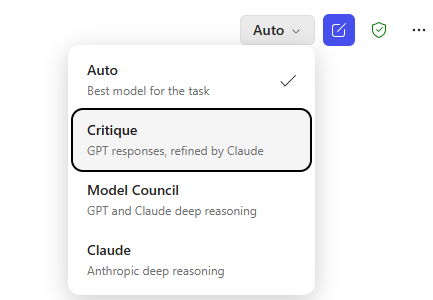
In Researcher, Copilot’s research agent, a new Critique model has been added that separates generation from verification: one model drafts the content, whilst a second evaluates the source quality and evidence before the report is finalised. And with Model Council, you can submit a single prompt to both GPT and Claude simultaneously and compare the reasoning of both models side by side. Ideal for situations where you want a second opinion or wish to weigh up two different perspectives.
Copilot Cowork
For those taking part in the Microsoft Frontier programme, things have gone a step further. With Copilot Cowork, you can carry out long-term, multi-step tasks that are automatically triggered via Work IQ. You can generate briefing documents, presentations or Excel files from a single prompt, based on your emails, calendar and SharePoint files, and you can also add new tasks along the way without having to restart the whole process.
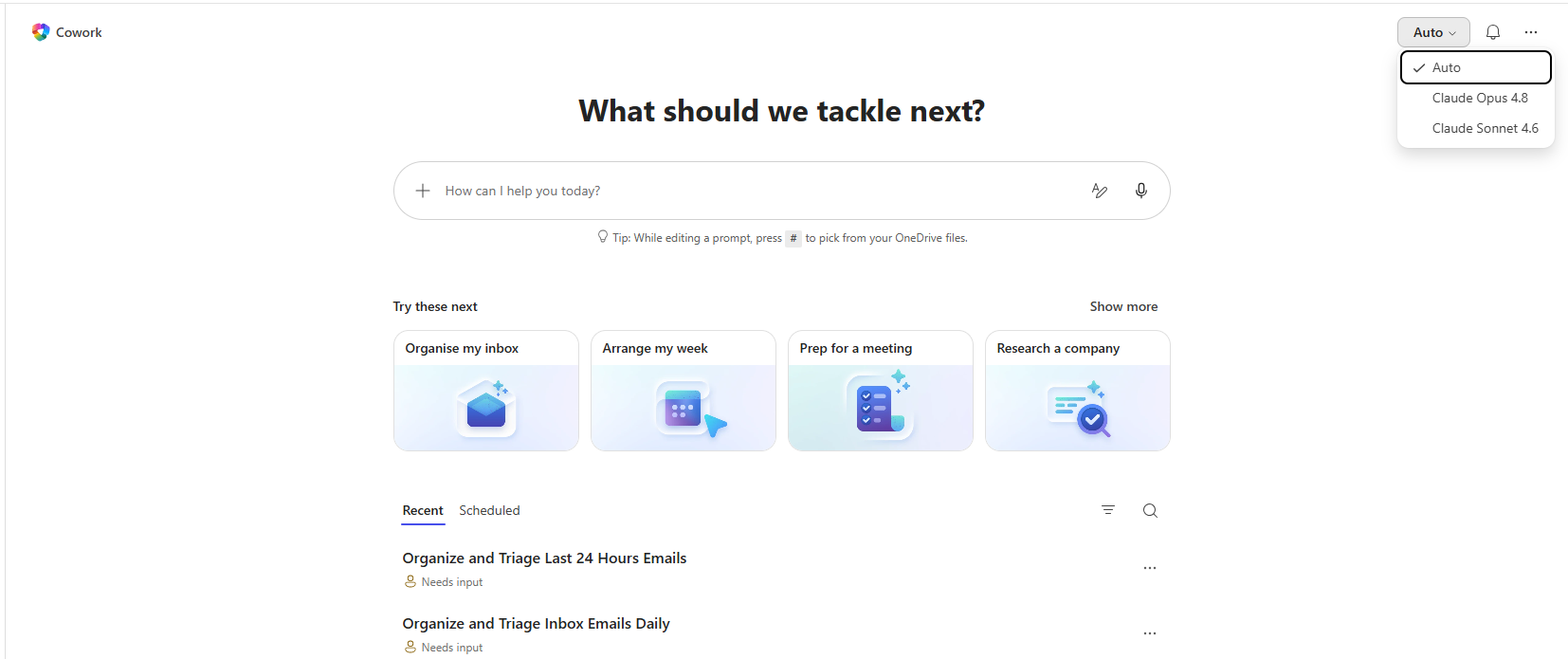
These features are currently only available via the Frontier programme. However, they do give a clear indication of what Microsoft is working towards: Copilot as a platform that gives you the freedom to choose the best model for the task, all within your organisation’s secure environment.